Showing posts with label reviews. Show all posts

Wednesday, September 21, 2011

AIMS Getting Into Geometry - Product Review

I received a pdf version of this product in exchange for an honest review. No other compensation was received. 


Description (from website)

Grades K-1
48 activities—264 pages
Triangles, rectangles, and squares jump off the pages as the activities in Getting Into Geometry have students using movement and their senses to learn the names and attributers of two-dimensional shapes. Early learners will step out the shapes, use scarves to draw them in the air, and make shape snakes out of fuzzy chenille stems. They will also find shapes in their world—on the bus, in the classroom, outdoors, and in photographs.

Once they have learned the 2-D shapes, students will compose them into other shapes like tangram trees, planes, animals, etc., helping them understand that the shape remains the same regardless of its orientation. Cutting, folding, and painting are used to teach children about line symmetry.
Moving to three-dimensional solids, young learners will compare and contrast their basic attributes. They will relate the 3-D objects to their 2-D picture representations and will combine 3-D solids to create new solids.

 A section is included on spatial relationships in which students describe the relative positions of objects using terms such as “in front of,” “behind,” “next to,” “above,” and “below.” Finally, there is a section of playful practice that uses games to reinforce concepts learned throughout the book.

Cost: $24.95 
Also available in hard copy with CD for the same price (plus shipping).


AIMS Education Foundation is a "non-profit foundation" that provides hands-on math and science resources designed to develop conceptual understanding. They offer activity books, state-specific science resources, multi-media math resources, e-activities, professional development, manipulatives, and homeschool resources. While most of their products are for sale, they offer free activities and a monthly newsletter with puzzles, games, and activities geared to user-selected grade ranges. They also offer a 100% satisfaction guarantee.


While my intention was to use Getting into Geometry with my DS5, fun cannot be had by him without DD8 wanting to engage as well. She knows her shapes well enough, but she is a kinesthetic learner, and the hands-on stuff she saw her brother doing were irresistible to her. So the three of us have been having fun making models with play dough and straws . . .


. . . while learning that some shapes simply can't be made with those materials, but can be made with something like yarn:


We've explored corners and edges with chenille "snakes" (I thought they needed googly eyes if they were really going to be snakes we named Sid and Sammy and Slither): 


And unlike using straws and play dough, we learned that chenille stems can be bent into virtually any shape we want . . .


We also got a kick out of using our whole bodies to make big shapes with streamers while bopping to the beat of some music . . .


All of these activities came from just the first few lessons of Getting into Geometry. We're excited about what's to come . . . making puzzles with tangrams, symmetry art projects, exploring how solids move on the flat floor and down slopes, and playing concentration games to identify 2-D shapes and 3-D solids -- just to name a few of the things we have to look forward to doing together, mostly with items we have around the house. 

While Getting into Geometry does seem geared to a classroom setting, it is very easy to modify for the homeschool environment. I am impressed with the layout of lessons, each specifying the following categories of information:

Topic
Key Question
Learning Goal
Guiding Documents (US benchmarks and standards)
Math (terminology)
Integrated Processes (such as observing, classifying, comparing/contrasting)
Materials
Background Information
Management 
Procedure
Connecting Learning (key questions)
Extensions (sometimes including web resources)

I also appreciate the subject integration approach in that some lessons employ the use of music, science, and literature to develop conceptual understanding. While some lessons involve the student recording information, Getting into Geometry is not a common workbook. It really is a great teaching and learning resource that we will continue to enjoy using.


Thank you to AIMS and The Old Schoolhouse Magazine for the opportunity to review this product. 


Tuesday, May 24, 2011

Robert Pierre - Music Review

I'm pleased to have the opportunity to give my personal response to the work of a young artist new on the music scene: Robert Pierre. A hip, happenin', and handsome young man of 18 who just graduated from high school this month, Robert Pierre has won me over! His music is energetic and fun, but his message is the Truth our culture needs.

I listened to four of Robert's songs which are available for free (yes, even to download!) at NoiseTrade: "Jesus," "You Hold Me Now," "Identity," and "Breaking My Heart." I like them all! I can most relate to the lyrics of "Jesus,"  especially the chorus:

So even when I stumble and my world is torn apartThere is One who's holding my heart

Any desperate dayOne Word I can prayAll I know to sayJesus

Screaming from my soulI'm giving up controlThe only Hope I knowJesus 

That so describes some of my days!

Robert's music is in tune with youth culture, but it is also solidly based on the Rock that is not moved by the tide of modern media. His lyrics are clear and easily decipherable, but they are also meaningful and worthy of attention. His song "Identity" offers a glimpse of the challenges faced by youth today -- but in a way that takes a stand against the washing away of traditional values. "Breaking My Heart" gives testimony of how hard that stand can be, but acknowledges the value of the pain of God having His way in our hearts. "You Hold Me Now" reminds us of the hope of glory we have in Christ for the future -- but also for our "now."

Would I purchase Robert Pierre's CD when it comes out? I would! I enjoy his music myself and would be thrilled to have my own teens embrace his songs. He's a kid on the cusp of manhood but he has a message the world needs to hear.

You can check him out on facebook  or his website. I don't think you'll be disappointed :)


Friday, May 20, 2011

Talking Fingers - Wordy Qwerty - Product Review


I had read good things about Talking Fingers' (originally a subsidiary of California Neuropsychology Services) software, Read, Write, & Type!  -- so when I had the opportunity to review their Wordy Qwerty: Foundations for Reading and Writing Fluency, I was pleased to try it out with DD9, who struggles with reading and writing. Before I elaborate on how things went in our use of it, let me tell you a bit more about the company and the program, the use of which I have received in exchange for my honest opinion expressed here.

Photobucket

According to their website, neuropsychologist Dr. Jeannine Herron developed the program with this rationale:
The Talking Fingers approach is unique and is based on a simple idea: text is speech made visible! We use our mouths to talk, to make the sounds of words. We use our fingers (with a pencil or keyboard) to represent those sounds on paper. When children learn to link speech sounds with letters, they can use the alphabet code to write any word they can say. Their fingers are "talking". This approach is aimed at maximizing the activation of the left side of the brain where skilled reading and writing are processed.

The Read, Write & Type! Learning System (see here for reviews of this product) includes spelling, phonics, keyboarding, and word processing, and is designed for children ages 6-9. Wordy Qwerty was designed as a sequel, geared for children in grades 2 and 3. There is an assumption that the child has a pretty good grasp of keyboarding skills based on their use of Read, Write & Type! (which is a bit problematic if the student does not have this foundation) -- as evidenced by the fact that a voice will chime in and announce, "To type properly, place your fingers . . ." when the student is search-and-pecking. DD9 found this a bit exasperating, so I would strongly recommend using R,W &T first. 


Photobucket

Here's an outline of how the Wordy Qwerty program works:


Wordy Qwerty's  20 lessons are based on games and activities that address the following: spelling rules, word families, "outlaw" words (or words that don't fit the rules), writing (type and spell), and reading (fill in the blank). A full scope and sequence is available for the program, but here is a screen shot of the areas my daughter covered in her month and a half of using the program fairly regularly:


DD9 had a bit of a love-hate relationship with Wordy Qwerty, partially because of her personality, and partially because of the program. Some days she was all fired up to do her work, and kept wanting to do more and more Talking Fingers; other days she would be exasperated and throw up her hands in frustration.   "Pattern" (spelling rules) and "Recycler" (word families) seemed the easiest for her, though I have to say that some of the activities were very hard, in my opinion. For example, students are presented with two words that sound the same phonetically, and they have to decide which one, or if both, are spelled correctly.  Since DD9 had to guess most of the time, I found myself wondering if she was really learning anything in the process. But when I asked her what she liked about the program, that's one of the things she liked! Personally, I think some of the sorting challenges are waaaay too hard -- such as the ones that require the child to sort and spell words like gypsy, genie, and giraffe -- though the program does tell what letters to type if the child is obviously stuck.

Certainly DD9 LOVES the songs that teach the spelling rules! (These are available on CD for die-hard fans!) She plays them repeatedly, and dances with a microphone as she does so :) And I will say that I, the English teacher of old, learned a few things through the songs and games! Sorting long and short vowel sounds revealed some patterns I've never noticed before, and the songs reinforced those patterns with a "cool rule," such as "g says 'g' but not before e, i, or y" and "g says 'j' when followed by e, i, or y."


DD9 says she also liked the balloon pop game in which students have to pop floating balloons with certain words in them -- but I think it moves waaaay too fast for children like her with visual challenges. Some days it would be this game that sent her over the edge in frustration, so while it was enjoyable on one level, it was also very difficult to follow visually.

Photobucket


Most challenging, in my opinion is the "story writing" which requires students to type from dictation. A sentence is read to the child, with the first half appearing in text, and the student must type the rest of the sentence from memory. While I see the value of dictation, and students are offered lots of help along the way, I question the need for such difficult sentences at this level. At our house, it usually resulted in frustration because the student can't move on until the section is complete. However, having said that, DD9 announced one day, "I'm good at this now because I've memorized it!" So -- I guess it worked on some level! :)

Finally, in the "reading" section, students are challenged to read a passage and periodically click on the word that makes the most sense in a blank. Theoretically this is a good assessment of comprehension -- but I found that DD9 was just skipping ahead to the blanks and trying to figure out what should go there by only reading the words that came before the blanks. So, to ensure she was actually reading, I had to sit with her and have her read it aloud to me. This was a bit labour-intensive for both of us, but it worked.

So, will I continue to use Talking Fingers' Wordy Qwerty? Well, it's not something I feel convicted enough about to enforce, but DD9 says, "I want to keep doing Talking Fingers!" -- so I certainly won't deny her the pleasure :)


 A free demo download is available if you'd like to try the program before purchasing, and a school version is also an option.

If you'd like to read other Crew members' opinions of Wordy Qwerty, visit the TOS Review Crew.

Monday, May 16, 2011

WonderMaps - Product Review


We don't use a particular geography program, and I'm not a geography buff, so when I had the opportunity to review the first release of  Bright Ideas Press WonderMaps, I was excited about the possibilities of expanding my own knowledge of geography, as well as that of my children. I have received no compensation for this review beyond the opportunity to use the program for free in exchange for expressing my opinions about it here. 

Wondermaps Logo


Bright Ideas Press is a family owned and operated business that offers a variety of history, geography, and science resources. These people are seasoned homeschoolers who offer their wisdom and expertise to their clientele not only through their products, but through their blog and helpful articles. BIP is a business aimed, of course, at financial success -- but it is also a vibrant member of the homeschooling community. This was most clearly driven home when I received a notice from them informing their clientele of another family's dire need for help. Desiring to inspire as much support as possible for the Laurie family, a homeschooling family of seven, six of whom have a fatal illness called Mitochondrial Disease, BIP outlined the family's needs with explicit instructions on how to help in an easy but concrete way. To me, that speaks volumes about the heart of this business: BIP has a heart of compassion and service.


Bright Ideas Press Logo


This screen shot gives an indication of the variety of products Bright Ideas Press offers, many of which support a biblical worldview, and some of which supplement the use of other popular curricula, such as Mystery of History and All American History:


WonderMaps 1.0, the product used for this review, is a downloadable software collection of more than 350 customizable maps which enable the user to manipulate layers of information, including colour, town/city locations and/or names, rivers and river names, island names, country names, terrain text, graticules (lines of latitude and longitude), and graticule labels.

WonderMaps are organized into four main categories: 1) World Continents, Regions, Nations; 2) United States of America; 3) Historical (Ancients, Middle Ages, Renaissance, Reformation and Growth of a Nation,  Revolutions to Rising Times) and 4) Thematic (American History, Explorers, Native Americans, World Wars, Biblical, 20th Century Treaties, Chinese Dynasties). It may interest you to watch this video clip that explains how these maps work:


Because we don't use a geography program or spend a lot of time referring to maps, WonderMaps is not a program that our family uses on a regular basis. However, we have enjoyed using it on a number of occasions to supplement our readings, as well as to do research about areas of interest. For example, we have been reading a book about people who have revolutionized their world through acts of faith, and it has been helpful to consult WonderMaps to visualize their travels and activities in various parts of the world. In my personal readings through the gospels, I have found it helpful to consult the biblical maps, such as this one that outlines Jesus' ministry travels:


We have also used WonderMaps to get our bearings around places of interest to us, such as El Salvador. The options were more limited here (we could only see El Salvador on a map of Central America; we could not get a close-up map of the country itself -- and this is true of several countries) -- but that does not negate the value of WonderMaps as a useful tool.

One of the features I appreciate most about WonderMaps is its Teacher's Guide:


As you can see, it offers a number of additional resources, one of my favourites being the ideas lists, such as this one for map related activities and projects:


Each project title is linked to a detailed outline of potential activities related to the title. I appreciate the way BIP suggests ways to make our learning fun, challenging and creative. BIP and WonderMaps are about a whole lot more than just maps! It's definitely a program we will continue to enjoy :) Thank you, BIP and TOS for the opportunity to use this product :)

Price: $49.95 ** See the WonderMaps ad in your spring issue of The Old Schoolhouse Magazine for a 20% Discount Code!
This software requires Adobe Reader v. 9.1 or higher. It’s a free download from Adobe.com.
Available from: Bright Ideas Press and other international sources.

If you would like to see what other TOS Crew members have to say about WonderMaps, click here.

Wednesday, April 6, 2011

KinderBach Product Review


For the last several weeks, my family has had the opportunity to review an online piano program called KinderBach in exchange for an honest review. Our use of the program is time-limited, and no other compensation has been given.

Photobucket


Once they knew what to do, the children could easily move through the lessons on their own.

The favoured rhythm instruments -- loud ones!

What is KinderBach?

KinderBach is an online program that teaches basic music skills to preschoolers. (Children expecting to learn how to play the piano right away might be frustrated. They do learn to play it -- but there's far more instruction in music than actual piano playing. It's best to present it as a music program that they will enjoy:) There are over 240 lessons that are accompanied by downloadable pdf. files which support and reinforce the concepts being taught. Lessons are divided into weekly units, with each week having four sessions. Yearly subscriptions can be purchased monthly or -- more economically -- for a one-time fee.

As the website specifies:
The Year Membership gives access to 6 Levels [a 7th is almost ready] of entertaining music education for 3 to 7 year old children through about 22 hours of video and interactive coloring pages. Miss Karri introduces preschoolers to the keyboard characters, as well as the Grand Staff clefs. Kids will enjoy playing simple songs, identifying music direction, learning new rhythm notes and their beat value. [Levels 1 to 6] cover proper hand and finger positions for the music scale, as well as staff note reading by pattern for voice and keyboard.

Cost:
$7.99 per month billed in a one-time annual payment of $95.88 OR $19.99 per month billed monthly for a year. The first two weeks of lessons are available for free trial.
Requirements:
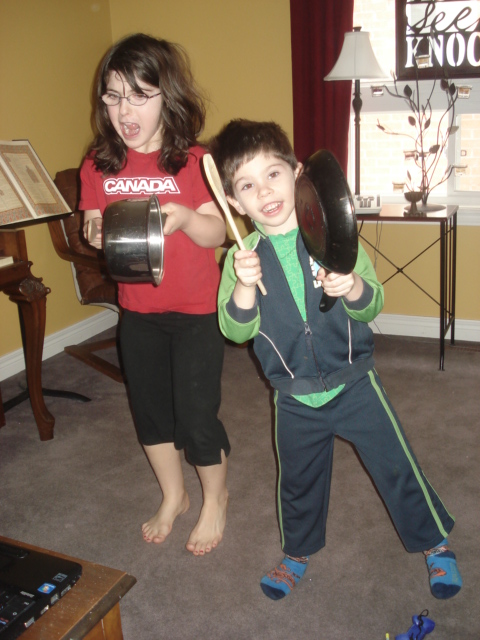
All you need is a computer with internet access, a piano or basic keyboard, and the printed booklets (available for download from the website). It is definitely easiest to download each whole booklet and print them than it is to print each lesson's pages separately from the screen. (Ask me how I know!) It is assumed you will have access to crayons and rhythm instruments -- which can simply be pots and pans, pencils to bang together, or homemade shakers.


How did we use KinderBach?

I expressed an interest in KinderBach with DS4 in mind, but showed DD8 (at the time -- she just turned 9 two days ago) the website and asked if she would be interested in it, too. Indeed, she was! It was at least a week before I heard whether or not we'd been selected to review it, and every day DD8 asked if I had "got the email yet"! She was keen to get started! Once we did receive it, KinderBach was all she wanted to do!!!! For hours on end, she did lesson after lesson. DS4 wore out long before she did -- but that was OK. She was happy to go back and do the lessons again with him! She did at least 8 weeks worth of lessons -- twice! Clearly, she loves it! (And is sad our subscription will soon expire.) DS4 wasn't quite as enthused, but he truly enjoyed it, too -- as you can see from the pictures.

We did not use KinderBach every day, though it would be easy to integrate into any schedule. Instead, we would have KinderBach marathons -- usually until I said it was time to do something else because of time constraints.


Learning to use the correct fingers
 Key features of KinderBach:
  • The program is very child-friendly. While older children and adults might quickly tire of the syrupy sweetness of Miss Karri, littles adore her candy qualities and lap up her enthusiasm, which is, after all, geared to appeal to them. Miss Karri uses her musical, educational, and dramatic training to full advantage in the professional videos that really do appeal to little people.
  • Besides watching the videos, children are given lots of opportunities to be active -- marching, walking on the spot, playing instruments, practising on the keyboard, colouring, and cutting. There are also some optional online games (to which we did not have access). This, of course, supports a variety of learning styles and enables the children to be -- well -- busy-bodied children.
  • Because the program involves things like numeracy (counting), decoding (recognizing different kinds of notes), tracking (eye movement from left to right), fine motor skills (colouring and cutting), and aural discrimination (distinguishing high and low sounds), it not only helps to develop music skills, it also supports the development of skills in reading, writing, and arithmetic. (Click that link to see an article that more fully outlines the relationships in skill development.) Truly, it is a cross-curricular program that benefits many aspects of the young learner.
  • Not only is it simple to use (even a 4 year-old with some computer skills can navigate through the program), it is simple and gentle in its approach. Children are not bombarded with flashy images and fast-paced sounds. Instead, concepts are presented with simple characters and images and catchy tunes.
  • Children can move through the program at their own pace with or without adult accompaniment. Of course, adult supervision is required -- but constant direct involvement is not necessary.
  • Repetition of concepts enables children to grasp the content and skills.
  • The program is leveled, with each step taking the child through a well-organized curriculum. (Click that link to see a break-down of the curriculum.)
  • No musical background is required to implement this program. (Good thing! I learned stuff, too ;)
  • Activities are simple but engaging for early learners.

Photobucket

Photobucket


They really do have clothes that fit them (and match!) -- they just choose not to wear them ;)
 Our family has thoroughly enjoyed using KinderBach, and we express our gratitude to the company itself, and to The Old Schoolhouse Magazine for the opportunity to review it. If you'd like to read other reviews by the TOS Crew, click here.


Monday, March 7, 2011

Reading Kingdom - Product Review

Expressing myself in writing is one of my favourite creative endeavours. Writing product reviews is one way I can be disciplined to do that on a regular basis! I'm grateful for all the opportunities I've been given to practise in this realm of creativity :)


For the last several weeks, my youngest children and I have had the pleasure of using an educational program called Reading Kingdom. We have had (generous) time-limited use of the product in exchange for an honest review. No financial compensation has been received for this review.

Let me begin by outlining what the program claims to be -- directly from their website:


I'd never heard of Reading Kingdom or Dr. Marion Blank before, but with a four-year-old son who loves learning on the computer and an eight-year-old daughter who struggles with reading and writing (the program works on both of these skills), I was very excited to have the opportunity to use this program. And while it has had its challenges, we have not been disappointed! DS4 enjoys it well enough, but DD8 loves it, and has become super-charged excited about reading, often choosing to do 4 or 5 lessons in one sitting. Her favourite part is "earning" books -- the reward for completing exercises that build up the child's ability to successfully read a complete book that is geared specifically to his/her current progress. When she realized my review was due soon, she expressed sadness that she would not be able to use the program anymore -- but was thrilled to learn we will have continued access for almost another full year :) Clearly, I don't need to tell you that this is a product we will continue to use long after this review is posted!

Using the program with DD8:
Now, I will say that DD8's opinion was not as elevated when we first began using the program. The Skills Survey (that link will take you to an explanation of how the program is organized) indicated that she needed to spend some time learning Visual Sequencing (recognizing letters and being aware of their arrangements) and Keyboarding Skills (knowing where letters are on the keyboard -- NOT knowing how to type).   She didn't enjoy the repetitive activities in these sections and became frustrated because it seemed "babyish" to her. (It didn't help that her 4yo brother was doing the same kinds of activities during his lessons.) I could appreciate her frustrations because the repeated instructions were rather annoying (the exercises became very predictable) and at times it seemed like she was being asked to do the same things over and over again -- almost in a drill-and-kill kind of way.

BUT -- once she hit the Second Skills Survey, and was advanced to Level 1 Reading, she started sailing! She loves the challenges -- and the opportunities to succeed in her reading and writing. On one occasion, after writing two dictated sentences including capital letters and punctuation marks, she excitedly exclaimed, "I wrote all that! I wrote it!" She also observed, "I'm not searching for the keys anymore -- I'm surprised." It's exciting to see your children recognizing their own learning! (I will say, though, it was a tad disconcerting to hear her exclaim, "Oh, SHIFT!" when she remembered she needed to press the shift key to put a capital letter at the beginning of her sentence! LOL)

Areas of the program I think could be improved for her skill level:
Outside of basic auditory instructions about what actions to perform, the program is very visual, particularly in relation to individual letters. (Less so when it comes to reading and writing whole words.) I found myself wondering if naming letters for children would give them an auditory clue and help them to correctly identify letters by name and formation. For example, I noticed that during letter sequencing exercises,  DD8 was saying letters aloud to help her remember what letters would disappear and she'd have to identify on the subsequent screen. While she developed this strategy on her own, perhaps auditory learners would benefit from hearing the letters named before they disappeared to help them commit them to memory. Also, DD8 still has trouble distinguishing between capital i (I) and lowercase l (l), so I suspect an auditory cue would help to solidify this in her mind.

Using the program with DS4:
DS4's interest in Reading Kingdom has been less enthusiastic than his sister's, and since he is so young, I have not been pushing him hard with it. Having said that, he does enjoy it because it is very kid-friendly in its graphics and animation. I noticed that this can be a bit of a draw-back in that DS4 would purposely make mistakes just so he could hear the error sounds and see the uh-uh graphics -- which of course throws off the program's ability to recognize actual skills (not something he would care about, but I do! ;) He continues to work on letter sequencing and finding correct letters on the keyboard, and has yet to progress to actual reading of words. But that's OK -- I can see him learning and growing in confidence.

Areas of the program I think could be improved for his skill level:
The learner is expected to figure out a lot of things on their own. For example, they have to make the associations between each capital letter and its lowercase equivalent on their own. This is easy enough to do when clicking letters with a mouse on the Reading Kingdom keyboard that has both upper and lowercase letters on the keys; it is very challenging when an actual computer keyboard only has capital  letters and children are expected to find the lowercase letters on their computer keyboard. Now, DS4 is learning those connections on his own, but I can't help wondering if the program should give explicit instruction around this rather than expecting the child to figure it out -- if nothing more than to expedite the learning process and enable students to progress faster. Also, in the sequencing exercises, students must figure out on their own that letters have to be clicked in a particular order (the same order they originally appeared) and that it must be done from left to right. I suspect that a few verbal directives by the program would enable this learning to happen sooner. (Of course, parents can always provide this instruction -- but they are advised not to help their students outside of supporting mouse control.)

I also think that letters and punctuation marks should be named, and instructions should be given about when certain punctuation marks are used (ex. a period at the end of a statement, a question mark at the end of a question). I know that the naming of letters does not actually come into play in the reading of words, but it certainly does in learning to write, and since the program facilitates the learning of both, I think enabling students to recognize the names of letters would be an important part of the program.

To date, I have not seen the program make associations for the students between letters and their sounds. Now, I know that a pure phonics approach is faulty in an irregular language like English -- but I would like to see some connections made between letters and their sounds, particularly when it comes to consonants at this level. Dr. Blank's article, First is Not Always Best, gives an excellent explanation why words' initial letter sounds shouldn't be a primary focus (as they often are) -- but I still think the students need explicit instructions around letters and their associated sounds, which seems lacking in the program.

Using the program with ME:
Initially, I set up a teacher-tester account so that I could explore the program beyond where my children were working. But I made the mistake of jumping in too close to my children's levels, and once you're in you can't get out without actually working through the program. Since I don't have time to pretend I'm learning to read, I've made the focus of my review on how it has been working with my children -- which is the important part anyway!

HOWEVER -- I have been incredibly impressed with the supports available to parents/teachers via the Reading Kingdom website. Outside of  awesome customer support, they offer informative files, such as this pdf. that outlines how RK is different from other programs and helpful tutorials, and they have an amazing blog with all kinds of meaningful, heart-felt discussions of real-life events related to reading and its significance, as well as helpful articles by the RK team. Here are a few of the threads that I have particularly enjoyed:

Victor: Chronicles Colby's volunteer work with a student named Victor. While it is related to her use of Reading Kingdom, the thread goes well beyond the realm of a reading curriculum. It's very thought-provoking and touching.

Learning Tips: A whole slew of interesting and insightful articles related to learning and teaching reading, including resistance to writing, the associations between attention, listening and reading, and activity ideas.

Sites We Like: Poetry readings, video clips -- some cool stuff for grown-ups to explore.

You know I like blogs -- so the Reading Kingdom blog brings the program a whole new dimension that I really appreciate and enjoy!


Other nitty-gritty details:

Subscriptions to Reading Kingdom are $19.99/month with no monthly minimum, or $199.99 if you purchase a 12 month subscription. If you have multiple children using the program, the cost per each additional child in your family is $9.99/month. (Taken directly from website) A 30-day free trial is available!

Other Reading Kingdom products available from the website store include:


Please visit The TOS Homeschool Crew to view other crew members' reviews of this product!
Related Posts Plugin for WordPress, Blogger...